HeiChat Adds WhatsApp OAuth: AI Sales and Support for Shopify in Minutes
HeiChat now supports WhatsApp OAuth. Shopify merchants can connect a new number in minutes and let AI answer WhatsApp customers with live order and product data.
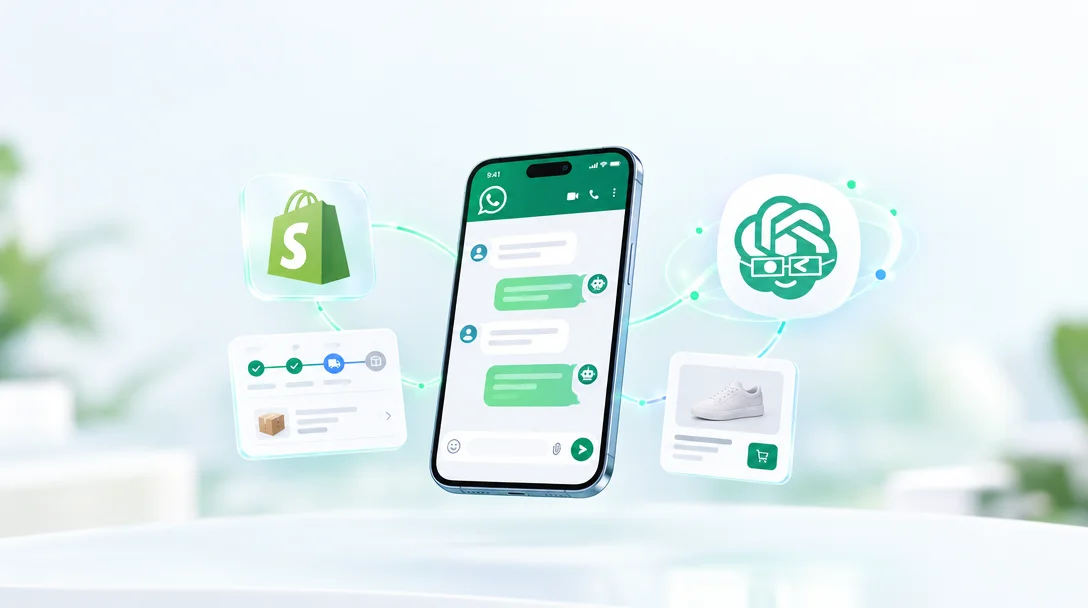
HeiChat now offers a WhatsApp OAuth connection. Shopify merchants can skip the Meta developer console, access tokens, and webhook setup: dedicate a number, approve a few screens at Meta, and the AI agent already running on your storefront starts handling WhatsApp conversations. This guide covers what the update changes, how the two connection paths differ, and the costs and limits to know before launch.
For Shopify merchants, customer questions tend to split into two worlds: on-site and off-site. The website chat widget catches the first. Once a customer closes the page and moves to WhatsApp, email, or a social DM, the same AI agent can no longer reach them.
In many cross-border markets, WhatsApp is one of the main channels customers use every day. A pre-sale question about material or sizing, or a post-sale question about shipping or returns, often arrives as a WhatsApp message. HeiChat's AI already reads order and product data from Shopify. This update extends that capability to WhatsApp without building a second bot.
As of October 2026, WhatsApp OAuth is still in beta. It removes friction from setup; it does not change the rules of the WhatsApp platform itself. This article covers what the feature does, how to connect it, and what it costs.
1. Why Connect AI Support to WhatsApp
A website chat widget only reaches visitors who are still on the site. Once a customer leaves, WhatsApp is often the lower-friction touchpoint: no need to reopen the store, no need to find a support email. They just send a message.
For Shopify merchants, WhatsApp conversations tend to fall into three groups:
- Pre-sale questions: material, sizing, use cases, and differences between products.
- Order inquiries: whether an order has shipped, where it is, and its current status.
- After-sales questions: return and exchange policies, refund progress, and what to do about damaged or incorrect items.
Many of these questions are repetitive and standardized. The AI agent can handle the first pass using live Shopify data and your Knowledge Base, leaving complex cases to a human. The point is not to replace your support team. It is to stop customers from waiting and let your team spend time on cases that actually need a person.
One boundary is worth stating up front: OAuth adds an inbound conversation channel, not a broadcast marketing tool. After 24 hours without a new message from the customer, the business can no longer send free-form messages and must use a Meta-approved message template. If the customer messages again, the 24-hour window reopens and the AI can resume normal replies. The costs and limits section covers this in more detail.
2. What Changed: From a Setup Project to a Few Approvals
Before OAuth, HeiChat already supported a manual WhatsApp Business API connection. Both paths end in the same place, but the manual route was not easy for merchants without a technical background:
- Register a Meta app and add the WhatsApp product.
- Create a system user and generate a permanent access token.
- Add and verify a phone number in Meta.
- Configure the webhook callback URL and verification token.
- Add a payment method.
- Paste the token and number back into HeiChat.
A mistake at any step can break the connection. For many stores, the real barrier was never whether to use WhatsApp. It was whether anyone on the team could finish the setup.
OAuth reduces this to three phases:
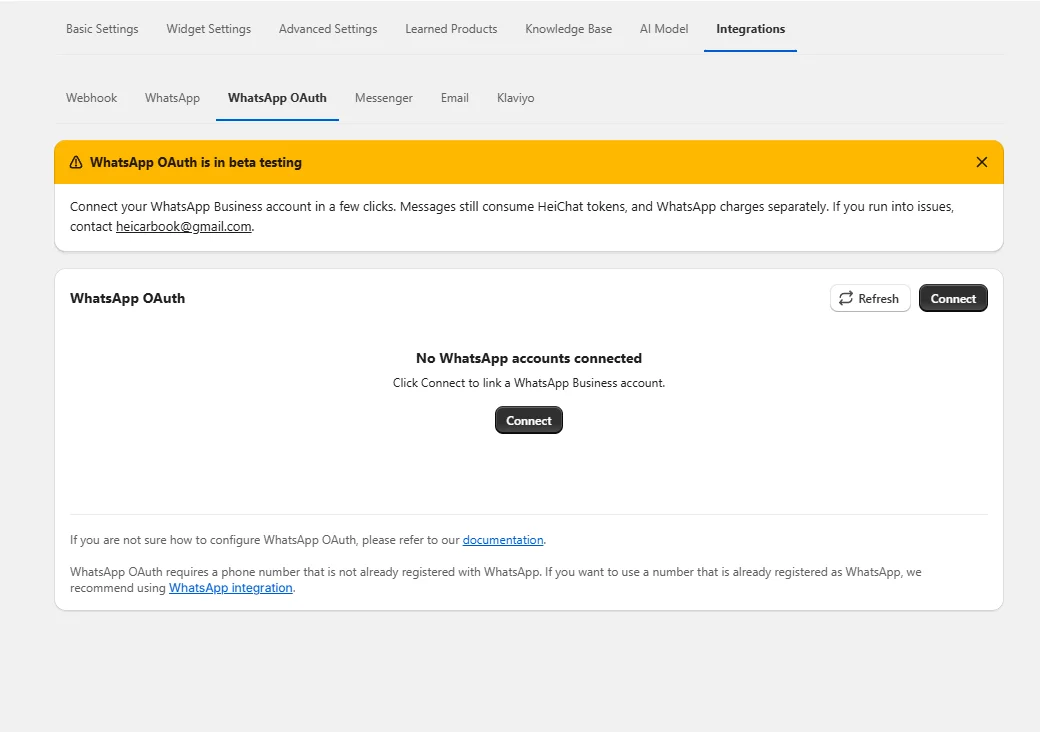
Phase 1: Start in HeiChat. Open the Integrations → WhatsApp OAuth tab, click Connect on the WhatsApp OAuth card, then click Continue with Meta.
Phase 2: Authorize at Meta. Sign in to Facebook, accept the WhatsApp Business Platform Cloud API terms, enter the number you want to connect, choose a business portfolio and WhatsApp Business account (WABA), and confirm the permissions HeiChat requests.
Phase 3: Confirm in HeiChat. When Status reads Active, HeiChat is handling conversations on that number.
No Meta developer console, no access token, no webhook configuration. The connection itself takes about 5–10 minutes, excluding display name review and Meta's compliance review.
OAuth vs. manual setup
Both paths let the AI agent answer WhatsApp conversations. The difference is the number you can use and the effort involved.
| WhatsApp OAuth | Manual setup | |
|---|---|---|
| Number | A new number not registered on WhatsApp | A number you already own, including one in use on WhatsApp |
| Where you work | HeiChat and Meta's approval screens | Meta Business Suite and the Meta developer console |
| Technical work | Approvals only | App creation, system user token, number verification, webhook, payment method |
| Time | About 5–10 minutes | A longer, multi-stage setup |
| Best for | Merchants who can dedicate a new number | Merchants who must keep an existing number |
One shared requirement: Both paths end on a number on the WhatsApp Business Platform (Cloud API), not a regular WhatsApp or WhatsApp Business app account. OAuth lets you select an existing WABA or create one during the flow. Manual setup requires approved WhatsApp Business API access before you start.
3. Three Practical Wins for Shopify Merchants
1. Answers from live store data, not generic scripts
This is the most underrated part of the WhatsApp connection. HeiChat does not copy the storefront widget's fixed scripts into WhatsApp. For order and product questions, it reads live Shopify data:
- Order inquiries: order status and order details.
- Product questions: information from your product catalog.
- Policies and rules: return policies, FAQs, and shipping rules from your Knowledge Base.
HeiChat reads orders and products directly from Shopify, so there is nothing to sync or import. When store data does not cover a question, the Knowledge Base answers it.
| Customer question | Source |
|---|---|
| Where is my order? | Shopify order status and details |
| What is this product made of? | Shopify product catalog |
| Where do I send a return? | Knowledge Base |
| How long does shipping usually take? | Knowledge Base |
That also means store data only covers orders and products; policy questions still depend on the quality of your Knowledge Base. If your return policy changed but the knowledge base was not updated, WhatsApp will repeat the old answer. For a step-by-step guide to product learning, knowledge base setup, and reply style, see Six Steps to Professional Shopify AI Customer Service.
2. One AI agent across your website and WhatsApp
WhatsApp is not a second bot that needs its own configuration. It is another channel for the same AI agent. The agent configuration, knowledge base, and settings carry over from the website widget, with nothing to rebuild or duplicate.
The practical benefits:
- Consistent answers: the website and WhatsApp do not drift into two different versions of your policies.
- One knowledge base to maintain: update a policy, FAQ, or shipping rule once and both channels use it.
- One place to review conversations: WhatsApp threads appear under Conversation in HeiChat. Set Data Source to WhatsApp to see WhatsApp only, without storefront widget chats mixed in.
If your store sets Reply Language to Automatic in HeiChat, the agent matches the customer's language. If you require a fixed language, choose Fixed Language. The same setting applies to WhatsApp.
3. Fast setup with clear permission boundaries
OAuth also means your operations or support team can complete the connection without waiting for a developer.
- HeiChat never asks for your Facebook password.
- Sign-in and authorization happen on Meta's own screens.
- You choose which business assets HeiChat may use.
- Meta lists exactly which permissions are requested: Business, WhatsApp Business account, Conversations, and Events.
- After connection, you can use Disable (pause the integration but keep the configuration), Delete (remove the connection), or Refresh (reload the status) on the connection card under Integrations → WhatsApp OAuth.
For a store that wants to add WhatsApp before a peak sales period, a connection that takes minutes to try is much easier to ship than a long technical project.
4. What to Prepare Before You Connect
OAuth simplifies the work, not the prerequisites. Before you start, confirm:
- A phone number you can dedicate. Once connected to HeiChat, the number cannot be used in WhatsApp or the WhatsApp Business app. OAuth is for a number not currently on WhatsApp; the safest choice is a brand-new number that has never been registered. If the number is still in use in either app, delete the account first and wait for WhatsApp to release it. Deleting the account permanently removes its chat history and account data.
- A Facebook account. You need admin access to a business portfolio, or permission to create one.
- A WhatsApp Business account (WABA). You can select an existing WABA during the OAuth flow or create one when Meta prompts you. HeiChat recommends one number per WABA so connections are easier to tell apart later.
- A compliant display name. This is the name customers see when you message them. It must meet Meta's display name guidelines and pass review.
- Two-step verification turned off (if applicable). If the number has been used for Meta business purposes before, turn off two-step verification in the WhatsApp Business account first. Leaving it on is a common cause of connection failures.
- A Meta payment method. If you expect volume beyond Meta's free allowance, add a payment method in Meta billing, or use Add payment method at the end of the connection flow.
- The same browser and pop-up permission. The flow carries state between HeiChat and Meta. Use one browser throughout and allow pop-ups for your HeiChat admin domain.
- A test phone. After connecting, send a message to the new number from another phone and confirm the AI replies automatically.
5. Costs and Limits to Know Before Launch
WhatsApp is not a feature covered by the HeiChat subscription alone. Expect two bills and several platform rules.
| Item | What it means |
|---|---|
| HeiChat costs | Messages sent and received over WhatsApp consume HeiChat tokens, just like messages on your other channels. |
| Meta costs | Meta bills WhatsApp messaging separately under its own pricing. Beyond the free allowance, you need a valid payment method, or messaging may pause. |
| Reply window | You can reply freely within 24 hours of the customer's last message. After that, you must use a Meta-approved message template. A new customer message reopens the window. |
| Number usage | The number is dedicated to the HeiChat integration and cannot be used in the WhatsApp or WhatsApp Business app on a phone. |
| Compliance review | After connection, Meta reviews your business for compliance with the WhatsApp Business Messaging Policy and may contact you within 24 hours if there is an issue. |
| Beta status | WhatsApp OAuth is in beta. If you run into problems, contact [email protected]. |
Two details are easy to miss:
- Display name review. The name must meet Meta's display name guidelines and pass review. If it does not, the number may not go live.
- A newly connected number may take a moment to receive messages. If a test message does not appear immediately, wait a minute and try again.
6. A Recommended Rollout Sequence
If you want WhatsApp live before the next peak sales period, work through this order:
- Clean up your Knowledge Base first. Document return and exchange policies, shipping times, FAQs, and exception handling. Orders and products come from Shopify; everything else depends on this knowledge base.
- Test the AI with real questions. Cover product questions, order inquiries, return policies, and questions in different languages.
- Prepare the number and display name. Confirm the number is not in use on WhatsApp and the name meets Meta's guidelines.
- Connect through OAuth. Start in HeiChat and complete the Meta authorization in the same browser.
- Test from another phone. Send a message to the new number, confirm it appears under Conversation → Data Source: WhatsApp, and check that the AI replies automatically.
- Watch the first week. Use real conversations to fill gaps in the knowledge base and define which cases need a human. Prevent the AI from making promises on refund exceptions, complaints, and similar scenarios.
7. FAQ
Should I use OAuth or manual setup?
If you can dedicate a new number that is not registered on WhatsApp, use OAuth. It is the fastest path. If you must keep a number already in use on WhatsApp, use manual setup.
I already have a WhatsApp number in use. Can I connect it with OAuth?
No. OAuth cannot take over a number already registered on WhatsApp. Manual setup can connect an existing number, including one in use, but you will need to handle the Meta app, token, number verification, and webhook configuration yourself.
Do I need a Meta developer account?
OAuth does not require the Meta developer console, but it does require a Facebook account with admin access to a business portfolio. Manual setup assumes familiarity with the Meta developer console.
Can I use the WhatsApp Business app account on my phone?
No. HeiChat requires a connection to the WhatsApp Business Platform (Cloud API). A regular WhatsApp account or a WhatsApp Business app account on your phone cannot be used directly. OAuth guides you through selecting or creating a WABA; manual setup requires approved API access first.
Can the AI follow up after 24 hours without a customer message?
It cannot send free-form messages. After the 24-hour window from the customer's last message, you must use a Meta-approved message template. If the customer messages again, the window reopens. This is a WhatsApp platform rule, not a HeiChat limitation.
Will this affect my website widget?
No. WhatsApp is another channel for the same AI agent. The knowledge base and settings are shared, and the website widget continues to serve on-site visitors.
How does billing work?
Two parts: WhatsApp messages consume HeiChat tokens, and Meta charges separately for WhatsApp messaging under its own pricing. The two bills are separate.
8. The Bottom Line
The significance of WhatsApp OAuth is not simply that HeiChat has another connection option. It turns "connect the AI agent to WhatsApp" from a technical configuration into something an operations team can complete on its own.
It fits Shopify merchants who:
- can dedicate a new number;
- already have a HeiChat knowledge base and AI agent configuration in use;
- want to add WhatsApp in minutes instead of waiting for a development project.
It does not replace manual setup. Merchants who already use a number on WhatsApp and must keep it should still take the manual route. Whichever path you choose, results still depend on two things: accurate Shopify store data and a Knowledge Base that keeps up with your business.
To walk through the flow yourself, start with the official documentation:
- Connect a new WhatsApp number with OAuth
- Manual WhatsApp Business API setup
- Six Steps to Professional Shopify AI Customer Service
- HeiChat Earns Built for Shopify Certification
If HeiChat is not installed yet, you can learn more on the Shopify App Store.
Questions or need help with the connection? Contact [email protected].
Source Notice
This article is published by merchmindai.net. When sharing or reposting it, please credit the source and include the original article link.
Original article:https://merchmindai.net/blog/en/post/whatsapp-oauth-shopify-ai-customer-service