EU Withdrawal Request Form for Shopify Stores: HeiWidget Supports Guest Submissions
HeiWidget adds a free Withdrawal Request block to help Shopify stores give guest customers a clear online entry point for EU withdrawal requests.
If your Shopify store sells to consumers in the European Union, a withdrawal request entry point should not only work for customers who are already logged in.
In real storefronts, many customers complete checkout as guests. Some use a one-time email address, some never create an account, and some simply do not remember whether they registered during checkout. When those customers want to submit a contract withdrawal request during the cooling-off period, a flow that starts with "log in first" can create unnecessary friction. The customer may not find the right place to submit the request, support teams may receive scattered emails, and the merchant may have a harder time showing that a stable online process exists.
That is why HeiWidget added the Withdrawal Request storefront block: it gives merchants using Shopify a lightweight EU withdrawal request form, especially for cases where guest customers need to submit a request from the storefront.
Why Guest Submission Matters
In a previous article, we covered the background of the EU online withdrawal function and what Shopify merchants should pay attention to. If you have not read it yet, start here: EU Withdrawal Button Rule 2026: What Shopify Stores Need Before June 19.
In short, Directive (EU) 2023/2673 added Article 11a, which focuses on giving eligible consumers an online way to withdraw from a contract. The official EUR-Lex text describes a withdrawal function that should be prominently displayed, easily accessible, and allow consumers to submit an online withdrawal statement with identifying contract information and an electronic contact method for confirmation.
The product implication is simple: the withdrawal entry point should not become another hidden process that customers need support to explain.
For Shopify merchants, guest checkout is the important detail. Many stores do not require account registration, and Shopify buying flows often allow customers to complete an order without logging in. If the withdrawal request entry point only works for logged-in customers, the customer experience can become inconsistent:
- Customers can place an order online, but cannot easily submit a withdrawal request online.
- Support teams have to identify order numbers, emails, and request timestamps from unstructured messages.
- Merchants lack one place to review request status.
- Duplicate requests, incorrect details, and suspicious traffic become harder to separate.
This is not just a matter of adding one more form field. It is about whether the first step of the after-sales process is clear, stable, and low-friction.
What HeiWidget's Withdrawal Request Does
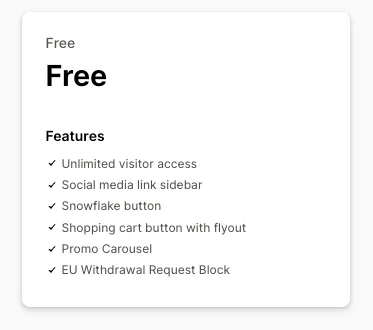
HeiWidget now provides a storefront withdrawal request block. Merchants can add it to a Shopify theme and use it as a front-end entry point for customer contract withdrawal requests. This Withdrawal Request feature is currently available as a free feature.
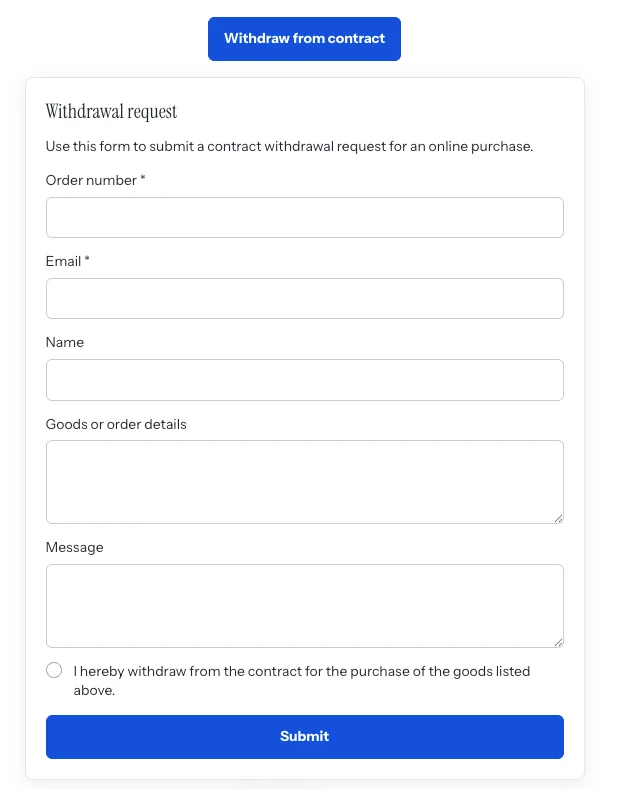
From the storefront perspective, it is not a full returns center. It is a clear request form. A customer can click Withdraw from contract, then complete the Withdrawal request form. The form explains that it is used to submit a contract withdrawal request for an online purchase.
The current form includes these fields:
Order number *: helps the merchant identify the related order.Email *: gives the merchant a way to contact the customer and send follow-up confirmation.Name: captures the customer's name.Goods or order details: lets the customer describe the product or order.Message: provides space for additional context.- Withdrawal statement confirmation: the customer confirms that they are withdrawing from the contract for the listed goods.
The field design is intentionally focused. Required fields are centered on order identification and contact information, while optional fields give customers room to add context. For guest customers, this is smoother than creating an account before looking for an order. For merchants, it is easier to process than a free-form email with missing details.
The goal is not to replace a full returns system or rebuild the entire after-sales workflow. It is better understood as a clear online entry point: customers can submit a request, merchants can review it in the admin side, and the process becomes easier to manage than "please email support."
The current version focuses on these capabilities:
- Guest customers can submit requests: customers do not need to log in to a store account before using the form.
- Storefront theme block: merchants can add the block from the Apps area in Shopify's theme editor.
- Admin review: merchants can review submitted requests and handle them based on the actual order.
- Status updates: requests can move into clearer processing states instead of staying buried in support inboxes.
- Duplicate order protection: repeated submissions for the same order can create less noise for support teams.
There is an important boundary here: Withdrawal Request is a request entry point and workflow helper. It is not legal advice, and it does not automatically determine whether every order is eligible for withdrawal. Product categories, services, regional implementation rules, and exceptions should still be reviewed by the merchant with appropriate legal guidance.
A Free Entry Point for a Clearer Process
Many smaller Shopify merchants are not ignoring withdrawal flows. They are often trying to avoid introducing a heavy returns system for a relatively low-frequency but important scenario.
HeiWidget is useful because it is lightweight. If you want to give customers a clear online entry point, especially one that works for guest customers without account creation or support contact, Withdrawal Request is a practical place to start.
Just as importantly, HeiWidget offers a free plan on the Shopify App Store. For merchants still evaluating their EU sales exposure or not yet ready for a full returns platform, this free entry point can help with several basics:
- Place a clear withdrawal request entry point on the storefront.
- Collect structured customer details such as name, order information, and email.
- Let support or operations teams review requests in one place.
- Avoid having every request arrive as an unstructured email.
- Test the customer path and internal handling process before a deeper compliance review.
It will not make compliance a one-click task, but it gives merchants a more concrete starting point than a policy page and a support email address.
How to Add It to a Shopify Theme
Setup is straightforward:
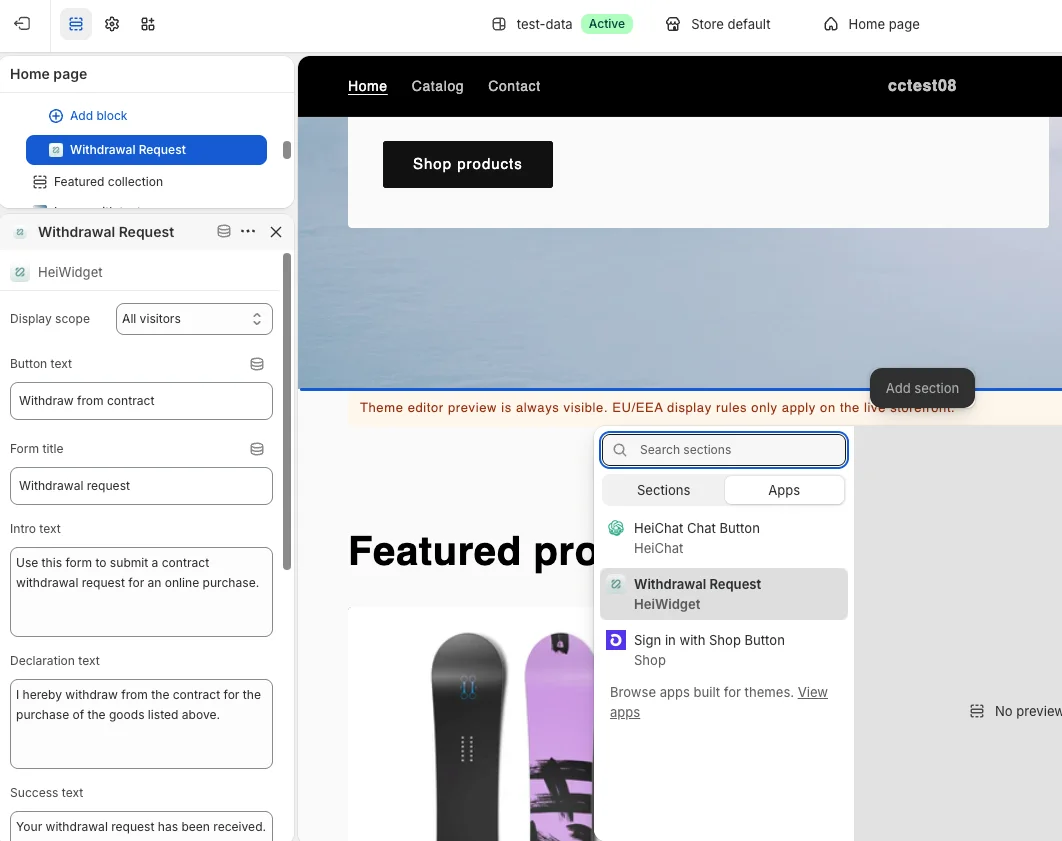
- Open Shopify Admin.
- Go to
Online Store > Themes. - Click
Edit themeon the current theme. - Add a section or block.
- Open
Apps. - Select
Withdrawal Request.
After adding it, do not stop at a single desktop preview. Test it from the customer's perspective:
- Can a guest customer see the entry point?
- Is the form easy to open and complete on mobile?
- Are the order number, name, and email fields clear enough?
- Can your team find the submitted request in the admin area?
- Does duplicate order submission behave as expected?
- Does your support team know what to do after a request arrives?
If you sell in multiple languages, also review the text around the entry point, the withdrawal policy page, and customer support templates. The form is only the first step. Customers still want to know what happens after submission, when they should expect a response, and whether they need to return the goods.
A Better Withdrawal Flow Can Reduce Support Work
It is easy to think of withdrawal requests only as a compliance topic. Operationally, a clear online entry point can also reduce repetitive support work.
When customers cannot find an official entry point, they usually choose the easiest available channel: live chat, a contact form, social messages, payment disputes, or multiple emails. Support teams then have to identify who the customer is, which order is involved, whether the timing is relevant, and whether the same request has already been submitted.
A structured form helps stabilize that first step:
- Customers know where to submit the request.
- Merchants know where the request came from.
- Status can be reviewed in the admin workflow.
- Duplicate requests are easier to handle.
- Teams can spend more time on judgment and resolution instead of asking for missing information.
This kind of experience does not need to feel promotional. It is closer to basic storefront infrastructure: customers can find it when they need it, merchants have a record to work from, and both sides have less uncertainty.
Which Shopify Merchants Should Test It
HeiWidget's Withdrawal Request is worth testing if your store matches one or more of these situations:
- You sell to EU consumers and are reviewing withdrawal request flows for June 19, 2026 and beyond.
- Your Shopify store allows guest checkout, so customers may not have accounts.
- You currently rely on email or support chat for withdrawal, cancellation, or return-adjacent requests.
- You do not want a full returns/RMA system yet, but want to set up an online request entry point.
- You want to start with a free option and see whether your internal process works smoothly.
If your business already has complex return warehouses, automated refunds, return labels, and multi-region logic, HeiWidget's Withdrawal Request may not be the whole answer. Even then, a storefront withdrawal request form that works for guest customers can still complement your existing workflow.
Start by Making Requests Easy to Submit
The EU online withdrawal function discussion can quickly become legal and technical. In a Shopify storefront, the first question is much simpler:
Can a customer who is not logged in find a clear entry point and submit a withdrawal request that your team can identify and process?
If the current answer is still "email support," it is worth adding a clearer online entry point.
You can view and install HeiWidget: Floating & Promo on the Shopify App Store. The Withdrawal Request block is available for storefront use and is designed for merchants who want a free, lightweight way to provide a clearer EU withdrawal request flow.
Related Resources
Source Notice
This article is published by merchmindai.net. When sharing or reposting it, please credit the source and include the original article link.
Original article:https://merchmindai.net/blog/en/post/shopify-withdrawal-request-block-heiwidget