PHP and Linux Vulnerabilities: Who Is Responsible for Ecommerce Security?
Learn what recent PHP and OpenSSH vulnerabilities mean for self-hosted stores, WordPress sites, and hosted platforms, plus a practical security checklist for merchants.
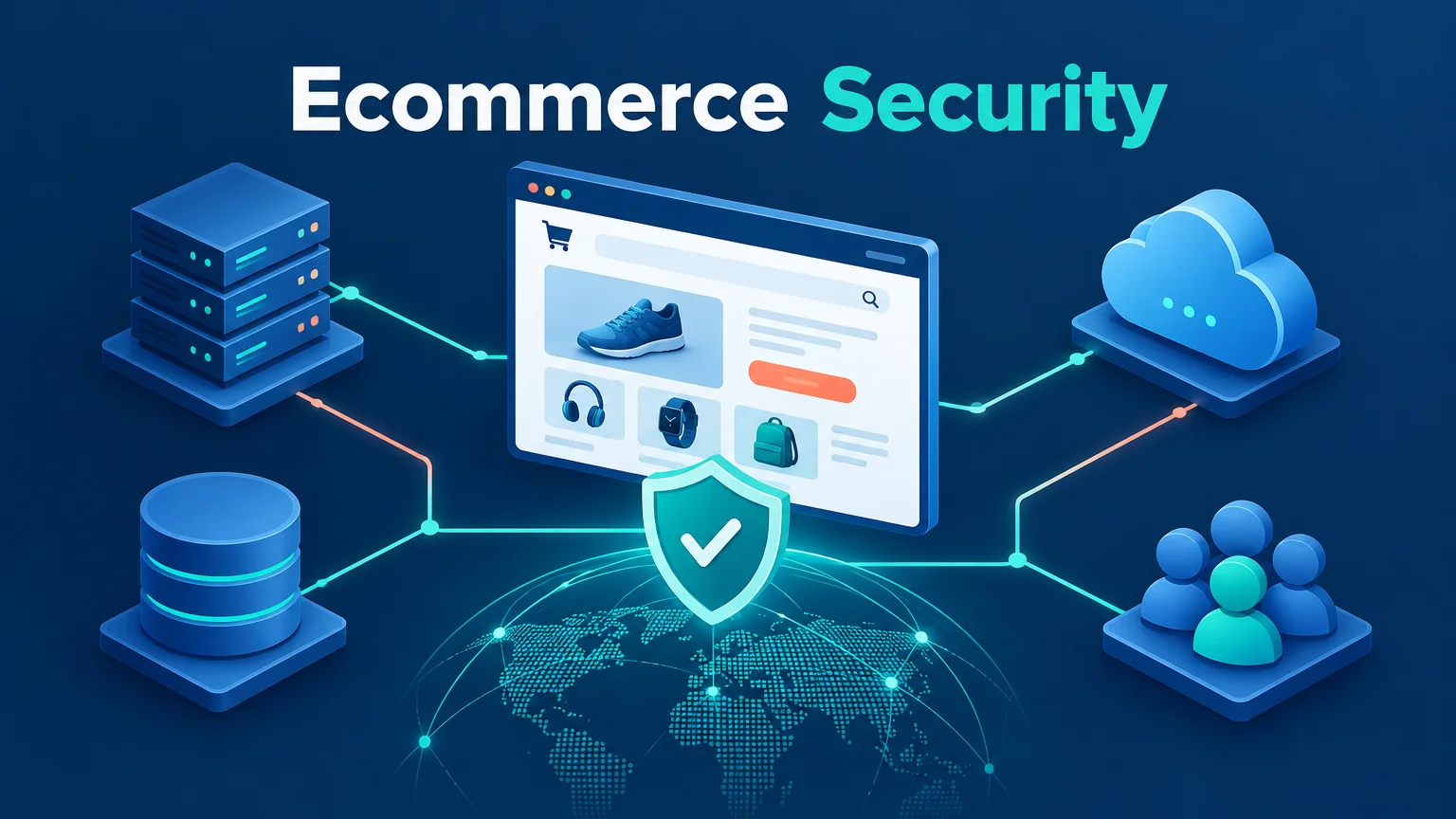
If you run an online store, recent headlines about PHP remote code execution and logging in to Linux with an unusually long password may have left you wondering: do these vulnerabilities affect my business?
The answer depends on how your site is built, where it runs, and who maintains it. WordPress merchants may need to pay attention to their PHP environment and plugins. Teams managing their own servers also need to check server access. Merchants on hosted platforms such as Shopify generally don't patch the platform's servers themselves, but they still need to manage staff accounts, third-party apps, and domains.
These vulnerabilities affect different layers of software, but they raise the same question for every merchant: when a system your store depends on develops a security problem, who discovers it, who fixes it, and how do you know the fix has taken effect?
This article reflects information available as of November 7, 2026. Vulnerability details and vendor remediation guidance can change, so consult the latest official advisories before taking action.
What happened: two vulnerabilities, two security boundaries
PHP vulnerabilities: a working website can still have an underlying risk
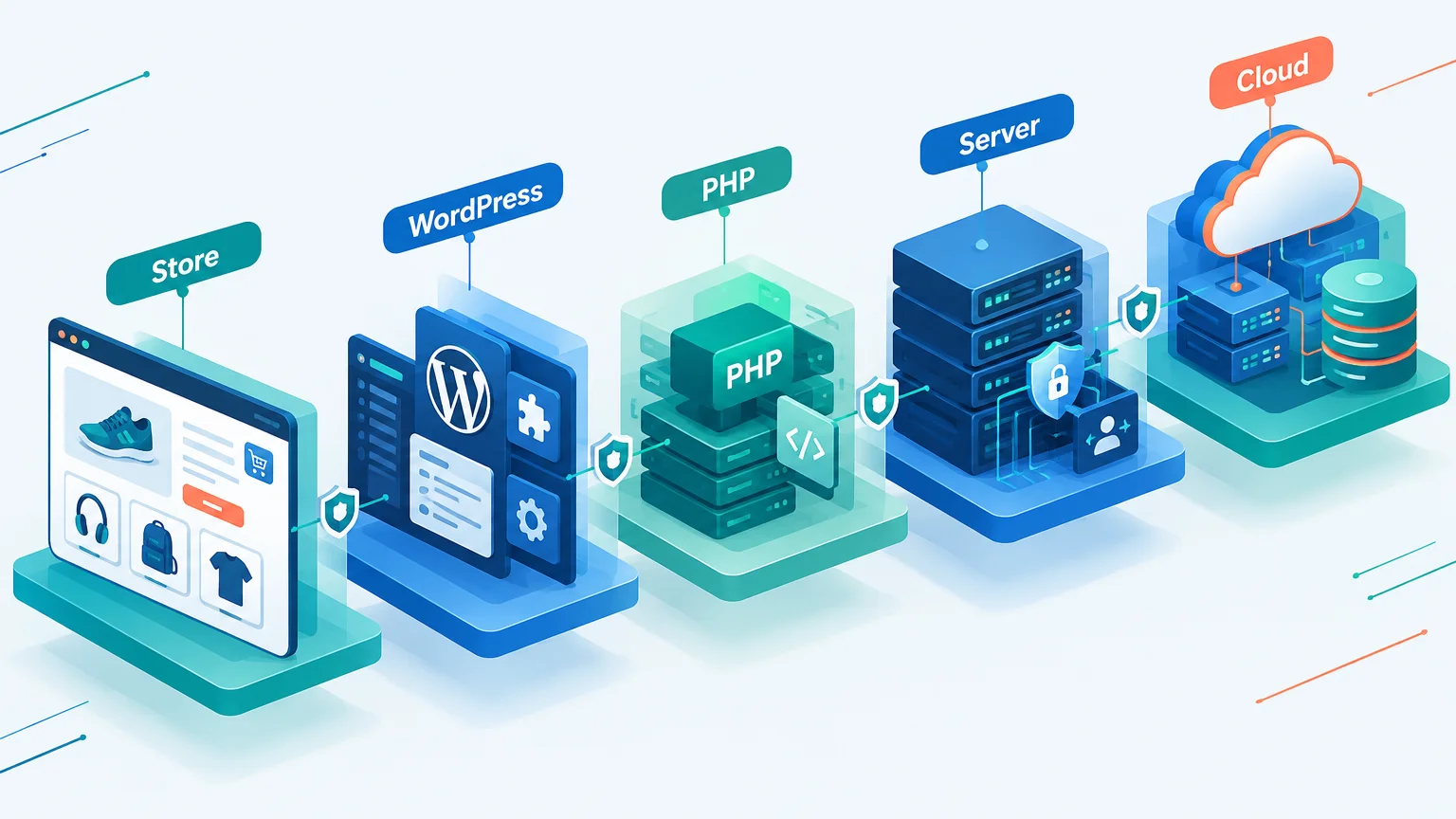
In October 2026, the PHP project disclosed two critical vulnerabilities: CVE-2026-109618 and CVE-2026-109619. Both involve memory or state handling within the PHP runtime and, under certain conditions, can lead to unauthenticated remote code execution. In practical terms, an attacker may be able to send network requests that cause an affected server to execute code with the web service process's permissions. PHP security advisory
These are not WordPress plugin vulnerabilities; they affect PHP itself. Content management systems, ecommerce platforms, and custom websites using PHP all need to be assessed against their actual environments. The advisory covers several ways of serving web requests, including PHP-FPM and Apache mod_php; exploitability and difficulty depend on factors such as configuration and build.
The PHP project listed 8.2.35, 8.3.36, 8.4.27, and 8.5.12 among the fixed releases and stated that updating is the complete fix. If your server uses packages from a Linux distribution, also check the distribution or long-term support vendor's advisory: they may backport security fixes to older package versions, so an upstream version number alone doesn't tell the whole story. CERT-EU advisory
For WordPress merchants, the takeaway is easy to miss: even if the dashboard says WordPress, plugins, and themes are up to date, that doesn't necessarily mean the PHP runtime has been patched. The reverse is also true: updating PHP doesn't replace plugin and theme maintenance.
The OpenSSH long-password issue: not every Linux server is affected
In November 2026, Alpine Linux published an advisory about an OpenSSH authentication bypass, later assigned CVE-2026-123158. Some headlines summarized it as “a long password lets anyone log in to Linux,” but that leaves out important conditions. Alpine Linux advisory
The risk arises only when a particular set of conditions is met. For example, the system uses musl libc, OpenSSH performs authentication without PAM, SSH password authentication is enabled, a target account has * in its password field, and another local account uses a specific type of password hash. An attacker also needs network access to SSH and knowledge of the target account name.
Under those conditions, an unusually long password can trigger an error-handling and password-field comparison issue, allowing a login to an account that should not accept password authentication. This doesn't mean strong passwords are unsafe, or that every Linux system, Alpine container, or SSH server is affected. Common Debian and Ubuntu systems using glibc, for example, are not affected by this specific vulnerability path. Containers also need to be assessed against conditions such as whether SSH is running and exposed.
Alpine advises affected users to update the relevant packages and restart sshd, because updating the package alone doesn't replace the running process. If an update isn't immediately possible, the official advisory recommends disabling SSH password authentication. Before making that change, verify that SSH key authentication works and keep the current session open until a new login has been tested.
Merchants don't need to memorize every technical condition, but the broader point matters: the security boundary isn't limited to the website and its admin dashboard. The server hosting the store, maintenance accounts, and remote access paths can affect the business too.
What can a security issue mean for an online store?
A vulnerability advisory doesn't by itself mean your store has been compromised. Your actual risk depends on whether you use affected software, meet the conditions for exploitation, have installed a fix, and expose the relevant service to attackers.
If a vulnerability is exploited, however, the consequences can extend beyond a server repair:
- Interrupted sales: the website, shopping cart, or order-processing workflow may become unavailable.
- Altered pages: product information, redirects, or storefront pages may be changed.
- Exposed sensitive information: customer details, order information, or system credentials may be at risk, depending on permissions and storage.
- Recovery costs: the team may need to investigate, repair systems, validate data, and address customer communications and compliance obligations where applicable.
During a sales peak, website recovery and customer support may need to happen at the same time. Alongside system checks, our peak-season support playbook can help you prepare for customer questions and human handoffs.
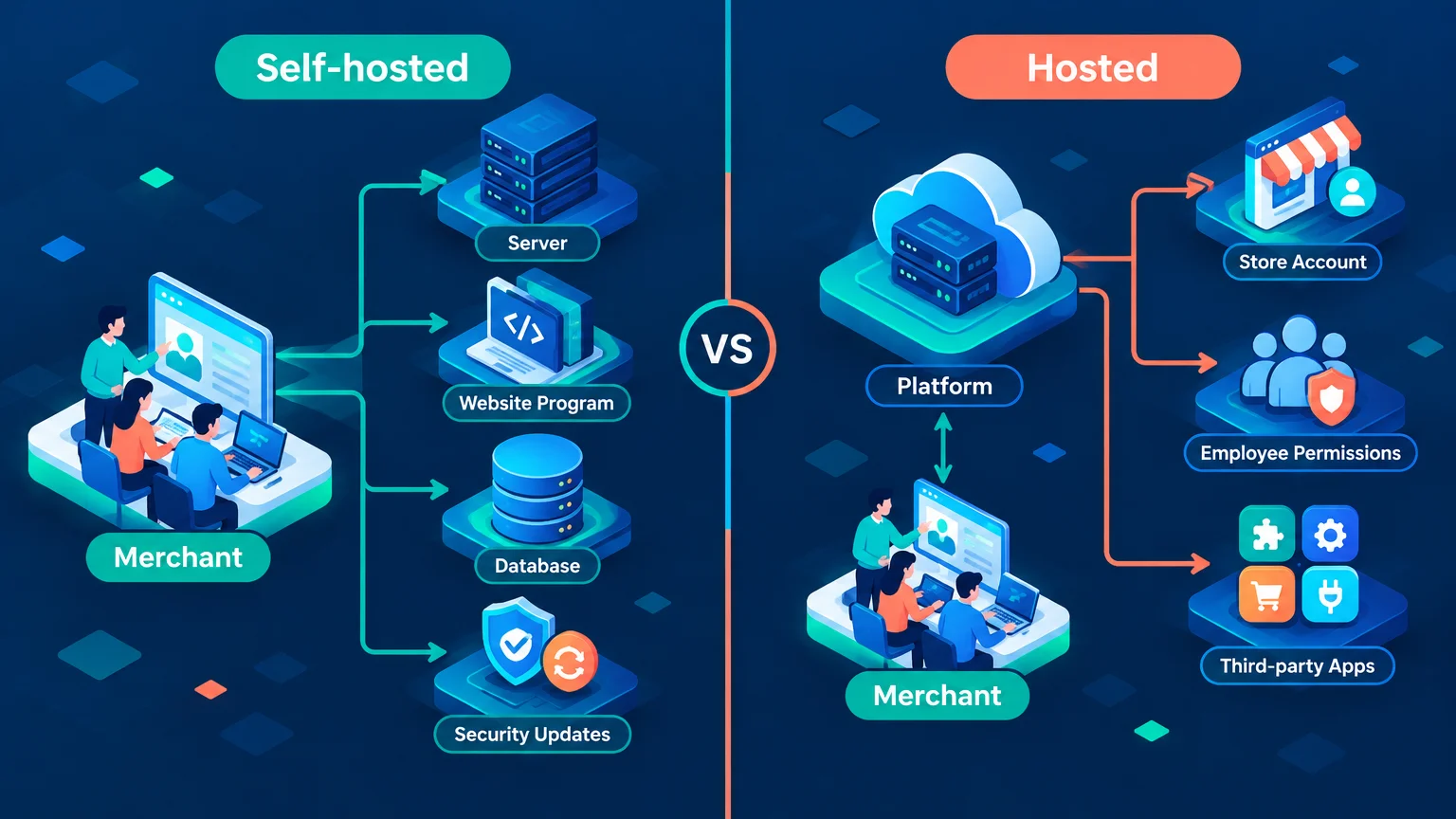
How do security responsibilities differ by website setup?
| Website setup | What merchants typically need to consider | What is easy to overlook |
|---|---|---|
| Custom website on self-managed servers | Operating systems, runtimes, applications, accounts, backups, and monitoring | A working website doesn't mean its underlying components are up to date |
| Self-managed WordPress / WooCommerce | Servers and PHP, plus WordPress core, plugins, themes, and accounts | Each layer can have a different update status |
| Managed WordPress | The provider handles some infrastructure maintenance; merchants still need to confirm responsibility for plugins, accounts, and backups | Providers define “managed” differently |
| SaaS platforms such as Shopify | Store accounts, staff permissions, third-party apps, domains, and business data | Platform infrastructure maintenance doesn't eliminate merchant responsibilities |
Use this table as a starting point, not a universal description of every contract. In particular, WordPress is software, not a single hosting model. Installing WordPress on a cloud server yourself and buying managed WordPress hosting can involve very different responsibilities.
If you're comparing options, see our Shopify vs. WordPress website-building comparison. From a security perspective, the main difference isn't that one can guarantee absolute safety; it's who controls each part and who is responsible for maintaining it.
Self-hosted websites: more control means more maintenance to account for
A self-hosted website lets you choose servers, databases, and applications around your business needs and makes deep customization easier. But if your team manages the server, someone must continually maintain the whole stack, from the operating system to the application.
For these two vulnerabilities, a technical lead needs to ask: what systems are our production servers and containers using? Which environments run PHP? Is SSH accessible from the public internet? Do the packages or images include the fix? After an update, were the relevant services restarted or containers redeployed?
The merchant doesn't have to perform every task, but each task needs a clear owner. Ask your technical team or managed service provider for:
- An asset inventory: where production and test environments, servers, domains, and critical third-party services are hosted.
- A responsibility map: who handles the operating system, applications, database, and security alerts.
- An update process: how critical advisories are tracked, assessed, patched, and verified.
- A recovery plan: where backups are stored, how often restoration is tested, and who to contact during an incident.
If the answer is simply “we perform regular maintenance,” follow up: when was the last update? How will we be notified about an urgent vulnerability? Can you provide a record confirming the fix?
Buying a cloud server doesn't mean the provider automatically patches every piece of software on it. For example, Google Cloud's guidance on these PHP vulnerabilities describes different actions for different products: some supported managed runtimes are updated automatically, while some custom containers require customers to update images and redeploy. Check the service and configuration you actually use.
WordPress / WooCommerce: update the whole dependency chain
WordPress offers flexibility: themes, plugins, and WooCommerce extensions let merchants build a store around their needs. At the same time, each additional component adds something whose versions, permissions, and compatibility need attention.
Rather than relying only on dashboard notifications, check each layer:
- Server and PHP: are updates handled by you, your host, or a maintenance provider? How is the running fix verified?
- WordPress core: are automatic updates working as expected? Are failure notifications available?
- Plugins and themes: which are still in use, and which need to be updated, replaced, or removed?
- Custom functionality: do payments, the cart, shipping, and order notifications work after an update?
- Backup and recovery: are the necessary database and files covered, and can they be restored to a working state?
WordPress supports enabling automatic updates for individual plugins and themes, but that doesn't mean every component on every site updates automatically. A host or plugin may change those settings, and automatic updates can fail. WordPress documentation recommends monitoring update status and considering backups in case compatibility problems require a rollback.
For important updates that affect checkout, a technical team can validate them in a staging environment and deploy promptly. But when a critical vulnerability is being exploited, waiting indefinitely for an ideal testing window isn't a safe plan either. The responsible person should weigh the risk and decide the order of emergency fixes, temporary protections, and business testing.
If you use managed WordPress, ask your provider directly whether they handle PHP security updates, plugin and theme updates, how long backups are retained, and whether restoration costs extra. Don't just ask, “Do you handle security?” Ask what is actually included.
Hosted platforms: less server maintenance doesn't mean no security work
With a SaaS platform such as Shopify, merchants generally don't need to log in to the platform's servers to update PHP, patch the operating system, or restart SSH. That can remove a substantial part of the infrastructure maintenance burden for a store without a dedicated operations team.
But a platform can't decide whether every staff account and app authorization is appropriate for your business. Regular checks should still cover:
- Account security: whether the store owner and staff use individual accounts and enable two-step authentication or other supported secure sign-in methods.
- Staff permissions: whether customer support, operations, developers, and contractors have only the access needed for their work, and whether access is removed when a relationship ends.
- Third-party apps: why an app needs access to orders, customers, or other data, and whether additional authorizations should be revoked when it is no longer used.
- Domains and related accounts: whether the domain registrar, email, payment services, and other critical accounts are protected too.
- Data and recovery: what data can be exported, what is held by the platform or apps, and how customers and orders will be handled during an outage.
Shopify's official guidance also recommends reviewing staff permissions, store activity, installed apps, and account security. Shopify account security best practices
The goal isn't simply to have as few third-party apps as possible. It is to understand what each app does and what it can access. Periodically remove unused marketing, support, or data tools and review their authorizations; where necessary, also check the provider's data retention and deletion practices.
An ecommerce security checklist to share with your team
Whatever platform your store uses, these steps are a useful place to start. You don't have to carry out every technical task yourself, but you should be able to find someone who can give you a clear answer.
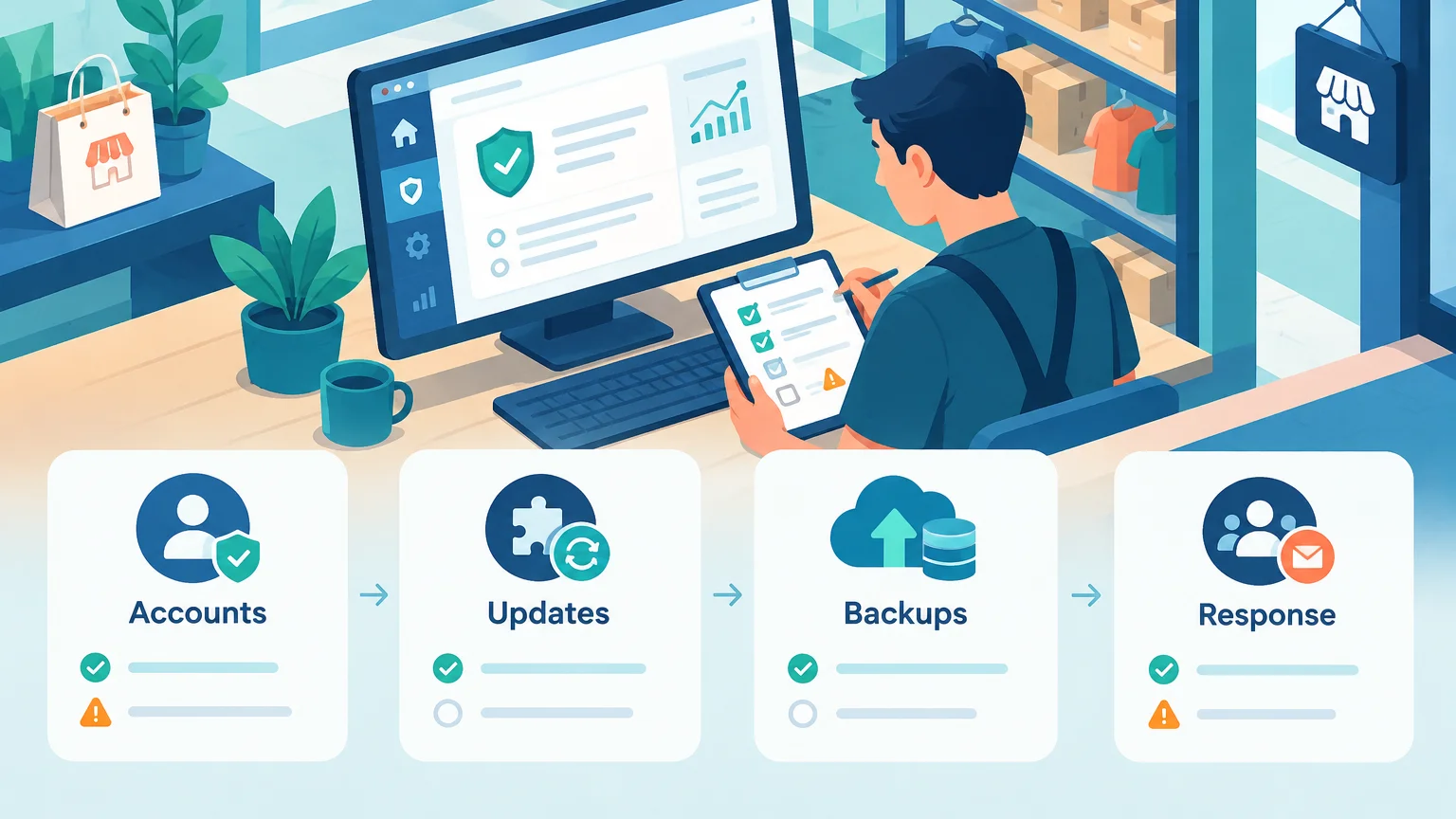
Step 1: Identify your assets and owners
- List the store admin, domain, servers, hosting provider, payment services, and critical third-party apps.
- Record the owner, emergency contact, and account ownership for each service.
- Confirm which updates, monitoring, and incident response activities are covered by your contractor or maintenance agreement.
Step 2: Find out whether these vulnerabilities affect you
- If you run a PHP website, ask your technical lead to check affected versions, vendor patches, and runtime environments. If you use containers, check the images and actual deployments too.
- If you manage Linux servers, have the responsible person check for the affected musl/OpenSSH combination, SSH authentication settings, and network exposure.
- For hosted services, ask the provider whether your service is affected, what has been fixed, and whether you need to take action.
- After remediation, confirm the running service or deployment is using the fix, rather than assuming that downloading an update was enough.
Step 3: Review accounts and permissions
- Give store owners, staff, and maintenance personnel individual accounts instead of sharing administrator logins.
- Enable two-step authentication or other secure sign-in methods for supported privileged accounts, and protect recovery methods.
- Remove accounts, app authorizations, and credentials that are no longer needed; review domain and payment-related accounts too.
Step 4: Verify backups and incident plans
- Confirm backups cover the data and files your business needs, and check their location, retention period, and access permissions.
- Test restoration regularly instead of relying only on a “backup successful” message.
- Agree on incident contacts and response procedures, including how to communicate with customers if the store cannot process orders normally.
If you find an unfamiliar administrator, unexpected redirects, or suspicious login records, don't stop after installing updates. Contact an experienced technical professional promptly to assess whether to isolate affected systems, preserve logs, investigate the scope, rotate credentials, and notify relevant parties. The right sequence depends on the incident and its business impact.
Frequently asked questions
Do I need to care about PHP vulnerabilities if I use managed WordPress?
Yes, although you may not need to update PHP personally. Confirm what your host is responsible for, then ask whether your service is affected and whether it has been fixed. If you also run custom containers or other PHP services, assess those separately.
Does a Shopify merchant need to patch vulnerabilities on platform servers?
Usually not; the provider maintains the platform infrastructure. Merchants should follow platform advisories and review the accounts, apps, and related services they control. If you also operate a custom website or self-hosted service, assess those systems separately.
If automatic updates are enabled, do I still need backups?
Yes. Automatic updates can reduce missed patches, but they can fail or cause compatibility problems. Backups and restoration tests help you recover from failures and other incidents.
Where should I start without a technical team?
List the providers behind your website and related services, and identify who can access the admin dashboard and who handles maintenance. Give the checklist in this article to your host, website provider, or maintenance contractor and ask them to explain each responsibility and its status. For unanswered questions, agree on an owner and a response date.
Security is an ongoing process
These PHP and OpenSSH vulnerabilities are a reminder that ecommerce security depends on more than one password or plugin. Runtimes, remote access, provider responsibilities, store accounts, and app permissions can all affect your risk.
Self-hosting offers more control, but it also requires the ability to maintain what you control. Hosted services can reduce infrastructure work, but they cannot manage every account and business authorization for you. Rather than looking for a website setup that is “always secure,” start by understanding your responsibilities and building a process to find problems, fix them, and restore operations.
Share this checklist with the people or providers responsible for your store, and ask: Are we affected? Who will confirm it? If something goes wrong tonight, who do we call?
Source Notice
This article is published by merchmindai.net. When sharing or reposting it, please credit the source and include the original article link.
Original article:https://merchmindai.net/blog/en/post/ecommerce-website-security-risks